Lyrics to Song: Turn Finished Lyrics Into a Complete Arrangement
A practical lyrics-to-song guide for turning verses and choruses into AI vocals, genre direction, arrangement notes, and a polished draft.
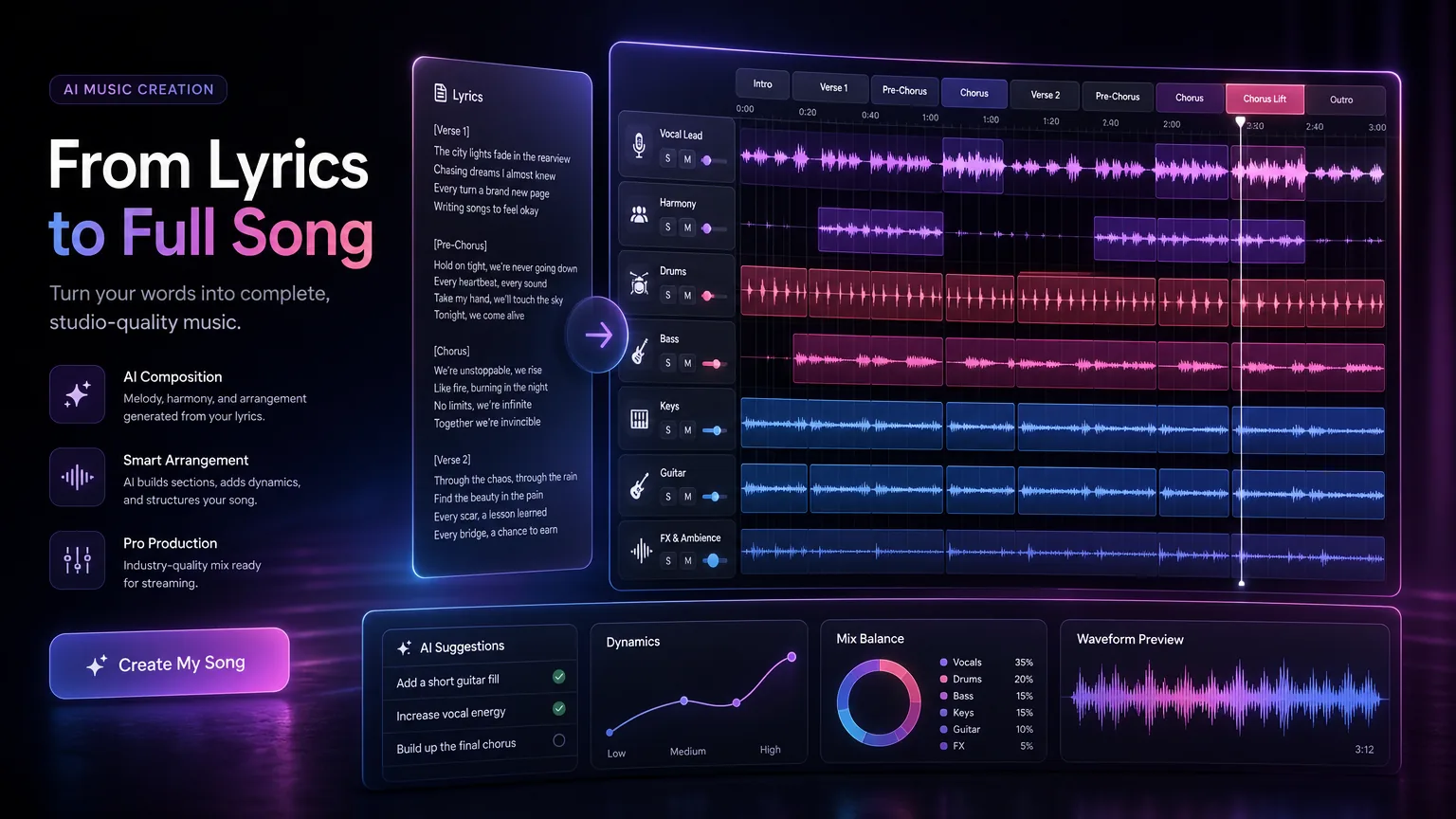
Finished lyrics are only half of a song. This workflow shows how to mark structure, guide the vocal performance, and give arrangement cues so an AI generator can turn words into music that feels intentional.
Before you start
Label sections clearly before generating music.
Give the chorus the strongest emotional and melodic direction.
Use arrangement cues to control build, drop, bridge, and outro.
Revise lyrics after hearing the first draft, not before every possible issue is solved.
Practical workflow
Use the guide as a repeatable production pass
This guide is organized around the same steps a creator needs before opening the matching tool: define the input, control the model, review the result, then change one variable at a time.
Prepare lyrics with clear section labels
Write arrangement notes like a producer
Control vocal delivery
Use the first generation as a songwriting draft
Field-tested prompt patterns
Preserve lyrics
Finished lyric conversion
Turn these lyrics into a [genre] song. Preserve the wording exactly, follow the section labels, use [vocal tone], build the chorus wider than the verse, and keep the mix clear on phone speakers.
Light lyric polish
Lyrics that need singability help
Use these lyrics as the source. Make only small flow edits where syllables feel crowded. Keep the hook line unchanged, create a [mood] arrangement, and mark a short intro and clean ending.
Arrangement revision
First draft lacks movement
Keep the lyric and vocal identity, but make verse one sparse, chorus one bright, verse two fuller, bridge intimate, and final chorus layered with backing vocals.
Quality bar
Do not approve the draft until it passes these checks
Section labels
Every verse, chorus, bridge, and outro is marked before generation.
Hook strength
The chorus contains the clearest phrase and does not hide the main idea in a dense line.
Vocal direction
The prompt says how the lyric should feel when sung, not just what genre it belongs to.
Arrangement arc
The song grows, contrasts, or resolves instead of looping the same density.
Revision discipline
Only one variable changes between drafts so the creator knows what improved the result.
Prepare lyrics with clear section labels
A lyrics-to-song generator performs better when the structure is obvious. Use labels like [Verse 1], [Pre-Chorus], [Chorus], [Bridge], and [Outro]. These labels are not just formatting; they tell the model where repetition, lift, contrast, and resolution should happen.
Keep each section focused. A verse can carry detail and story, while a chorus should be simpler, more repeatable, and easier to remember. If every section has the same emotional weight, the arrangement has no clear destination.
Next step: lyrics to song tool — Use the section labels and arrangement note directly in the conversion tool.
Write arrangement notes like a producer
Arrangement notes do not need to be technical. Plain language works: start with soft piano, add drums in the second verse, make the chorus wide and bright, leave space before the bridge, end with a short vocal echo. These instructions shape the listener journey.
Avoid changing too many elements at once. If you ask for cinematic strings, trap drums, acoustic guitar, gospel choir, synthwave bass, and lo-fi texture in one request, the result may feel unfocused. Choose the two or three sounds that matter most.
Next step: AI lyrics generator — Rewrite weak hooks before generating a full arrangement.
Control vocal delivery
Lyrics can change meaning depending on vocal tone. A line that looks romantic on the page may sound dramatic, playful, or sad depending on the singer direction. Add short notes for vocal color: intimate male vocal, airy female lead, group chant hook, soft spoken verse, or energetic rap delivery.
If a lyric is dense, ask for a slightly slower tempo or a rhythmic talk-singing verse. If the chorus is simple, request a wider melody and layered backing vocals to create lift.
Next step: AI song prompt guide — Use prompt structure when the lyric still needs genre, vocal, or mix direction.
Use the first generation as a songwriting draft
Do not expect the first generation to solve every line. Listen for where the melody naturally wants fewer syllables, stronger vowels, or a repeated hook. Then revise the lyric to match the musical idea that works best.
This is the same workflow human songwriters use with producers: draft, listen, cut, repeat. AI simply shortens the distance between written lyric and audible arrangement.
Next step: text to song workflow — Switch to idea-first generation if the lyric is still only a concept.
Add mix and reference constraints before export
Once the arrangement feels right, add practical mix direction instead of regenerating the whole song. Ask for clearer lead vocal, less reverb in verses, a wider chorus, or a tighter low end. These notes improve usability without changing the song identity.
This stage also creates better downloadable assets. A workflow that covers prompt, arrangement, revision, and export gives creators a complete path from written lyric to a finished song draft.
Keep the lead vocal understandable on phone speakers.
Ask for a clean intro or outro if the track will support video editing.
Save lyric revisions and prompt notes with the final file.
Move from lyric draft to finished audio
A lyric workflow should not end at the page. When the words feel ready, move into generation with clear section labels, vocal notes, and arrangement constraints. If the lyric still feels flat, rewrite the hook before producing a full track.
This keeps the creative process simple: write or revise the lyric, decide the arrangement role, generate a first draft, then edit the lines that do not sing naturally.
Frequently asked questions
Can AI turn any lyrics into a song?
It can usually create a draft, but cleaner section labels, singable line lengths, and clear style direction improve the result significantly.
Should lyrics rhyme before generation?
Rhyme helps, but it is not mandatory. Strong rhythm, clear section structure, and emotional focus often matter more than perfect rhyme.
What if the AI changes my lyrics?
Use a stricter instruction to preserve wording, or allow light edits when you want the model to improve flow and singability.